AutolumeGallery
Interactive virtual reality system for real-time exploration of generative adversarial network latent space.
- Code: GitHub
- Dataset: Peter John Voormeij
- Original Paper: View PDF
Overview
Tools:
- Unity
- C#
- OSC
- NDI
Concepts:
- Virtual Reality
- Creative AI
- Image Generation
- Latent Space
Summary:
- Collaborated with Dr. Philippe Pasquier (external link) and Arshia Sobhan (external link) at the Metacreation Lab (external link) to train and deploy a GAN using Autolume-Live (external link) for real-time image generation.
- Wrangled and preprocessed dataset of abstract artwork from artist and late grandfather, Peter John Voormeij (external link).
- Designed and implemented a Unity-based VR environment and built a communication pipeline using Open Sound Control and Network Device Interface protocols for live model interaction.
- Conducted qualitative evaluation of GAN model outputs to assess visual coherence and latent space behaviour.
Demo
Examples


Project Breakdown
The following report is drawn from the paper I wrote (external link) for the project, which is also available to read!
Abstract
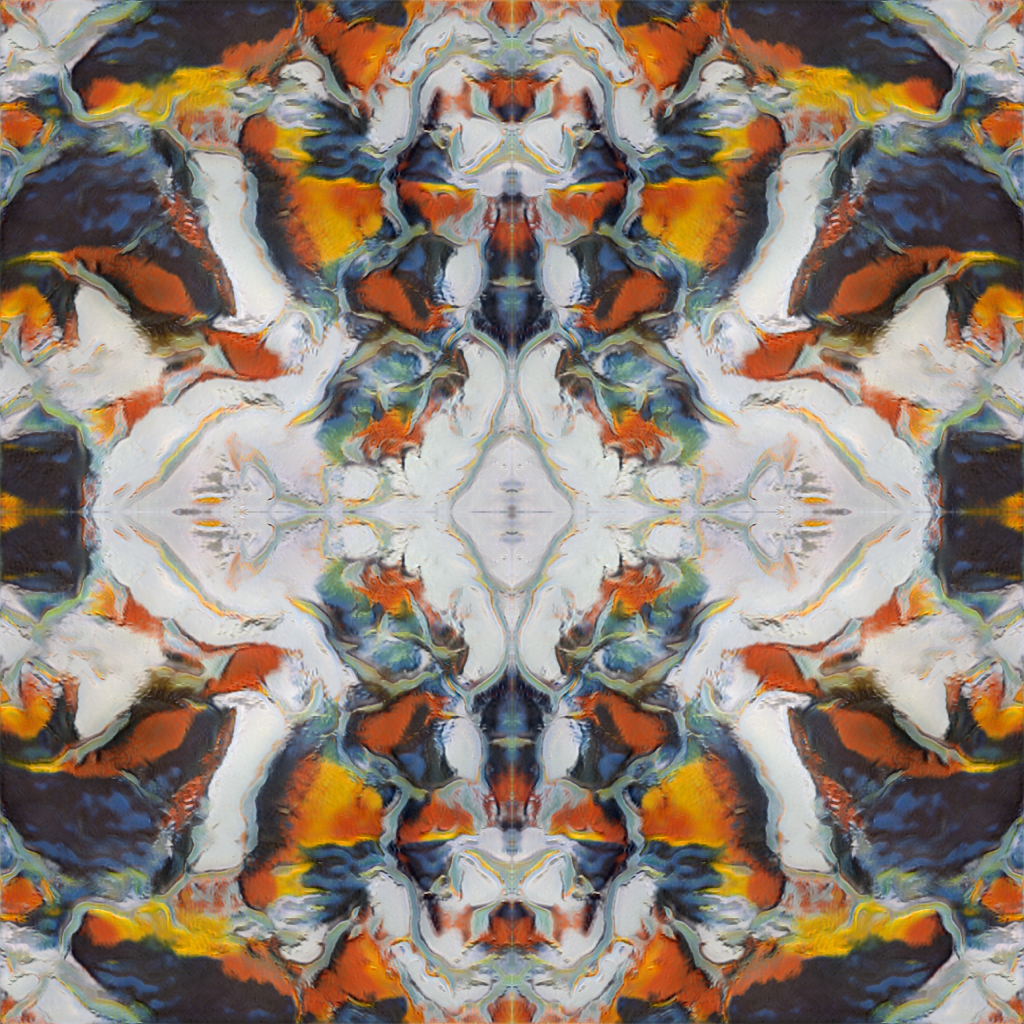
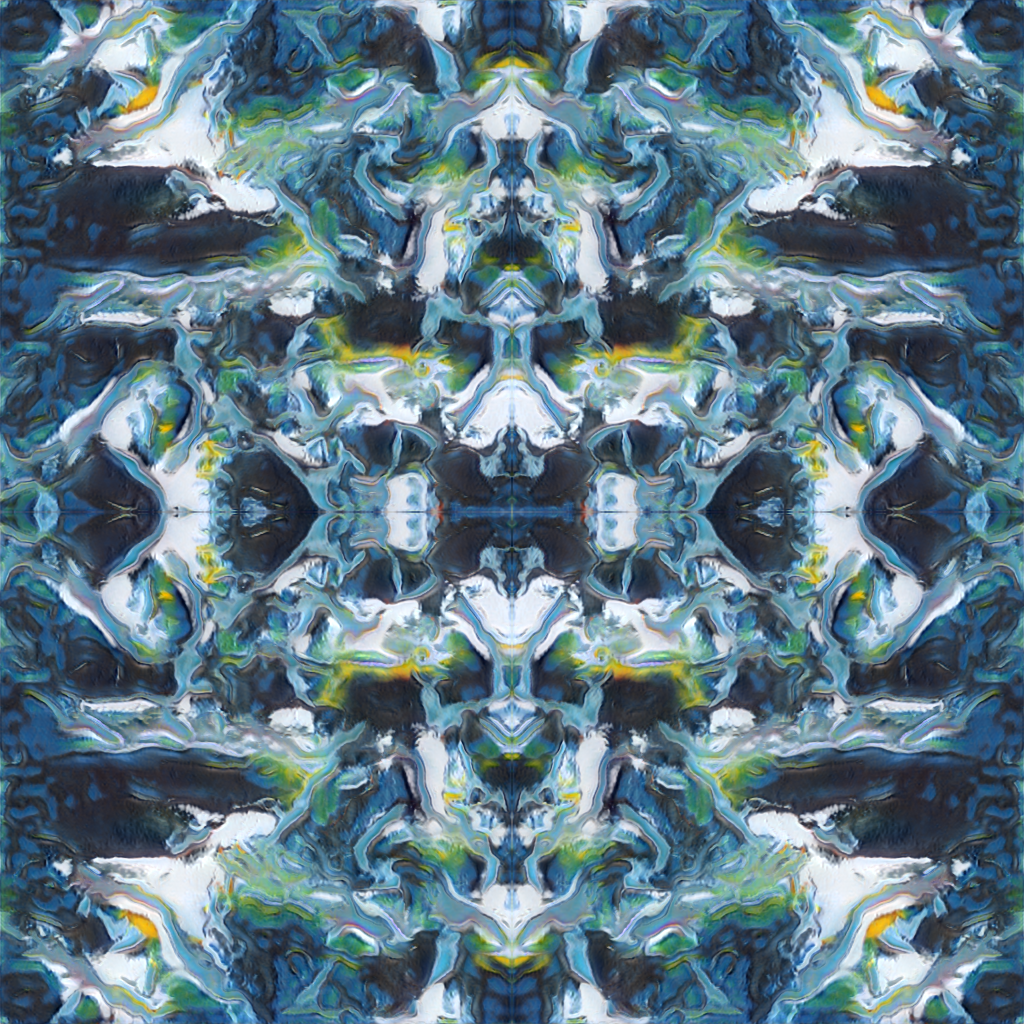
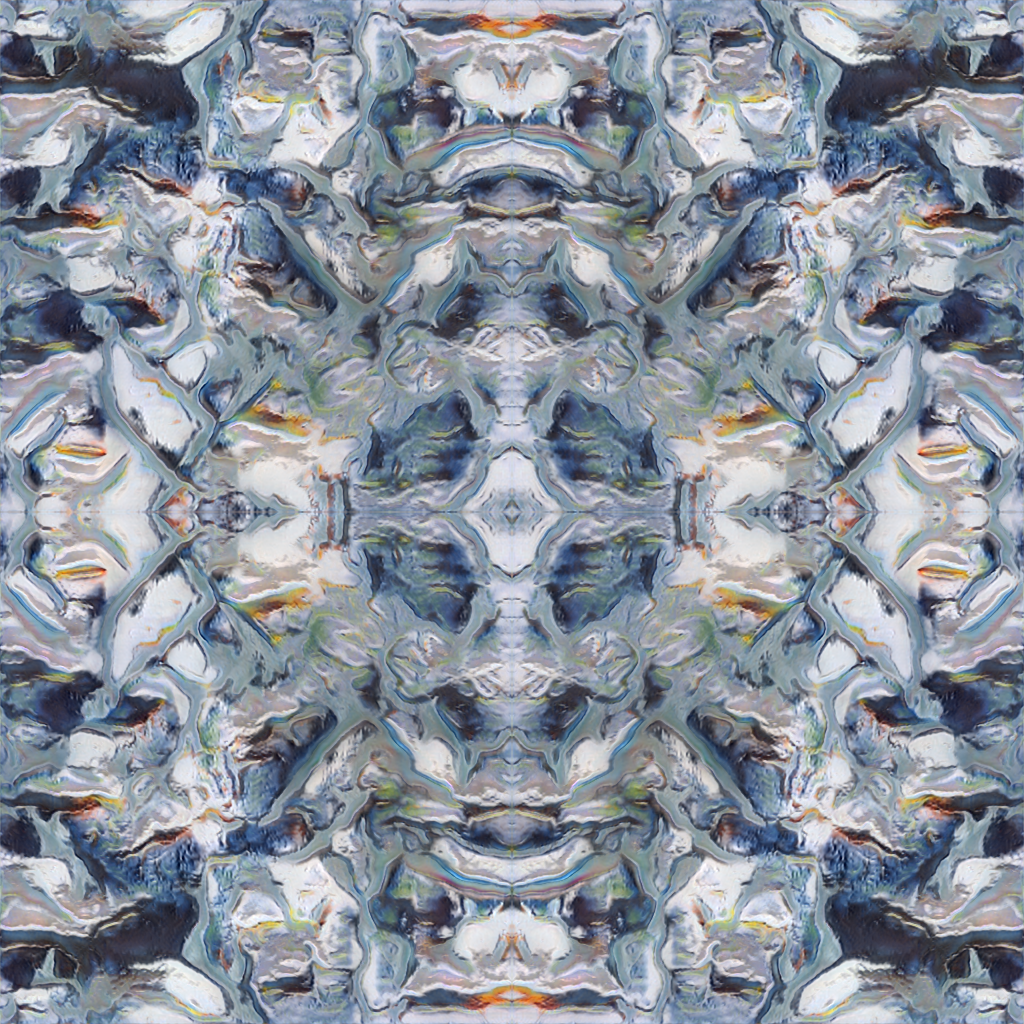
AutolumeGallery is an interactive virtual gallery space where users can manipulate and explore the latent space of a GAN in 3D. A canvas receives artwork generated in real-time from Autolume-Live, influenced by the position and rotation of several objects in the virtual environment. Users can use these "manipulators" to alter the piece and take an active role in its creation and appearance. The GAN model was trained on the abstract artwork of my late grandfather, Peter John Voormeij, as my way of honouring and connecting with his work.
Introduction
This project is dedicated to my grandfather, Peter John Voormeij (external link), who passed away in early 2024. He was a Dutch painter and printmaker, and I wanted to explore and honour his abstract artwork in my own way. Thanks to this Generative AI and Computational Creativity (external link) course with Dr. Philippe Pasquier (external link) at Simon Fraser University (SFU), I found the perfect opportunity! With the blessing of my family, I constructed a dataset of ~360 works and began brainstorming. I wanted to explore the shapes, patterns, and colours found in his work and create an interactive experience that enables users to do the same.
Having recently completed a Unity-based virtual reality (VR) course, Immersive Environments (external link), I found myself wanting to dive deeper and further develop my skills in that area. With an improved understanding of what makes for an engaging experience, I ended up settling on VR for the user interaction half of the project.
As the course progressed, it became clear that generative adversarial networks (GANs) would be a powerful option, as they run faster than diffusion models (external link) (e.g., Midjourney) and don't require nearly as much data. Essentially, GANs work by pitting two separate neural networks against each other in an arms race: a generator network and a discriminator network. The generator's job is to create new images from random noise, and the discriminator tries to tell apart the generator's fake output from the real training data. Both networks learn from their mistakes and try to improve at their assigned tasks over time. If everything goes perfectly, the discriminator ends up with a 50% chance of making the correct prediction, meaning the generator's images are impossible for it to tell apart from the real images.
Literature Review
Enter Autolume-Live (external link), a tool for training, tweaking, and running GAN models locally in real-time. Initially created for Jonas Kraasch's Master's thesis (external link), it has continued to see development, improvements, and usage thanks to the Metacreation Lab (external link).
An in-class training workshop from PhD student Arshia Sobhan (external link) truly revealed the capabilities of the software, highlighting the real-time image generation with a wide array of options and vectors to explore, all configurable through Open Sound Control (external link) (OSC), a data communication protocol between computers and multimedia devices. Given the abstract nature of my dataset, working with Autolume's unique visual style felt like the right approach for the project.
Autolume also transmits its generated output to a Network Device Interface (external link) (NDI), another communication standard that streams video and audio to connected multimedia devices.
During the proposal peer review process, I was introduced to a demo video by Hobby Technology (external link) of a project with a similar concept, also using a VR headset to manipulate the vectors of a latent space. While it featured a different type of model, the user interface served as an inspiration and a confirmation that my initial idea was feasible.
System Design
I borrowed a Meta Quest headset through SFU's library and designed the system around it. Fortunately, thanks to the XR Interaction Toolkit (external link), other headsets are easily supportable with little extra effort!
On the surface, AutolumeGallery is fairly simple and, apart from the VR Hardware, is divided into two components: Unity and Autolume-Live. Between them, the information flows and repeats as follows:
- Unity receives user input from the VR Hardware and in-world interactables.
- Unity uses OSC to send decimals to Autolume-Live.
- Unity receives user input from the VR Hardware and in-world interactables.
- Unity uses OSC to send decimals to Autolume-Live.
- Autolume-Live receives OSC output and adjusts the corresponding GAN settings.
- Autolume-Live uses NDI to broadcast generated images back to Unity.
- Unity receives NDI output and updates the virtual canvas.
- Autolume-Live receives OSC output and adjusts the corresponding GAN settings.
- Autolume-Live uses NDI to broadcast generated images back to Unity.
- Unity receives NDI output and updates the virtual canvas.
Implementation Details
The current implementation requires Unity and Autolume-Live to be running on the same machine, as they both look to different ports on the local IP address. Detailed installation instructions can be found on the GitHub repository (external link) for this project.
VR Hardware
The Meta Quest is connected to a computer using the Meta Quest Link (external link) application, either over Wi-Fi or USB cable. From there, the desktop link feature is used to mirror the computer's display to the headset.
Unity
The heart of the system. Relies on OpenXR (external link) and the XR Interaction Toolkit (external link) for the baseline virtual reality functionality. Other notable external libraries included extOSC (external link) and KlakNDI (external link), both of which greatly aided the process of connecting to and from Autolume.
There are comments in every script I wrote linking to any external resources I drew from.
The hierarchy in Figure 1 shows the game objects in a collapsed state, as they have too many children to show. I will run through each object and any relevant children.

Directional Light
Standard Unity asset providing sunlight to the scene.
Libraries: (none)
XR Interaction Manager
Responsible for handling and delegating interaction triggers and events around the scene. Collaborates with
the XR Origin.
Libraries:
- XR Interaction Toolkit
OSC Manager
Responsible for transmitting and receiving information over OSC. The transmitter connects to
127.0.0.1:1338 and is configured to send its packets in bundles instead of individually. It does
not trigger any of the transmissions itself, but will diligently send off any messages it's given.
Libraries:
- extOSC
XR Origin (XR Rig) Affordance Variant
Contains the VR controller models, the player camera, locomotion controllers, and interactors of various types. This object is the user's gateway into the scene, being the digital equivalent of the user's physical hardware.
The locomotion controllers are how the player can move around the scene. Types include Turn (rotating the camera a fixed amount with the joystick), Move (walking around with the joystick), and Teleportation (blinking the user to the target location).
The interactor children also have various specifications, such as Gaze (where the user is looking), Poke (what the user is touching), Near-Far (what the user is pointing at), and Teleport (where the user wants to go).
There are also Affordance Callouts attached to the controller, which are in charge of displaying the button mappings when the user looks at their controller (we can thank the Gaze interactor for this). These affordances are lifted from one of Unity's template VR starter projects.
Libraries:
- XR Interaction Toolkit
Painting
The digital canvas Autolume is sending artwork to. There are four Painting Panel manipulator children, each has an NDI receiver updating their texture, and a socket interactor that will grab and hold onto Panels. The user can grab, move, rotate, and flip each panel. The NDI receivers are listening for "Autolume Live" on the local machine.
Libraries:
- Custom,
- KlakNDI,
- XR Interaction Toolkit
Vector Controller Left/Right
Manipulator spheres floating above reset podiums. They can be grabbed by the user and can move in all axes, but cannot rotate. They send their x, y, and z positions to Autolume via the OSC Manager. There are affordances labelling each podium.
Libraries:
- Custom,
- extOSC,
- XR Interaction Toolkit
Layer Controller
A directional manipulator wheel floating above a reset podium. It can be grabbed by the user, can move along the x, y axes, and can rotate around the z axis. It sends its x, y position and z rotation to Autolume via the OSC Manager. There is an affordance labelling this podium.
Libraries:
- Custom,
- extOSC,
- XR Interaction Toolkit
Seed Controller
A directional manipulator wheel floating above a reset podium. It can be grabbed by the user, can move along the x axis, and can rotate around the z axis. It sends its x position and z rotation to Autolume via the OSC Manager. There is an affordance labelling this podium.
Libraries:
- Custom,
- extOSC,
- XR Interaction Toolkit
Panel Resetter
A reset podium without a manipulator. When pressed, it resets the Painting Panels to their original positions and orientations. There is an affordance labelling this podium.
Libraries:
- Custom,
- XR Interaction Toolkit
Environment
Contains objects such as the floor and their Teleport Areas, as well as the introductory text callout when the experience launches.
Libraries:
- XR Interaction Toolkit
Camera
A second, disabled camera responsible for taking photos of the canvas. When triggered, it renders what it
can see to a RenderTexture and converts it to a Texture2D, which is then saved as a
.png in the application's data folder.
Libraries:
- Custom
QuitListener
Empty game object with a simple script to quit the application when the ESC key is pressed.
Libraries:
- Custom
Autolume-Live
With the guidance of Arshia Sobhan, he and I used one of the Metacreation Lab's computers to train a model on my grandfather's artwork over the course of several days. He kept an eye on the training process while he was on campus, and eventually a suitable model emerged.
Once transferred to my home computer, I used Autolume's Feature Extractor to find six meaningful latent space vectors. I chose vectors that created interesting changes in the artwork and was excited for users to explore.
I created a preset containing the trained model, my chosen vectors, and several parameters listening to different OSC channels:
- Latent Seed (
seed/latent): Seed Controller's x position - Noise Seed (
seed/noise): Seed Controller's z rotation - Vector 1 (
left/x): Vector Controller Left's x position - Vector 2 (
left/y): Vector Controller Left's y position - Vector 3 (
left/z): Vector Controller Left's z position - Vector 4 (
right/x): Vector Controller Right's x position - Vector 5 (
right/y): Vector Controller Right's y position - Vector 6 (
right/z): Vector Controller Right's z position - Layer 3, Translation (
layer/x): Layer Controller's x position - Layer 3, Translation (
layer/y): Layer Controller's y position - Layer 3, Rotation (
layer/r): Layer Controller's z rotation - Layer 3, Scale (
layer/s): Layer Controller's x scale
Results

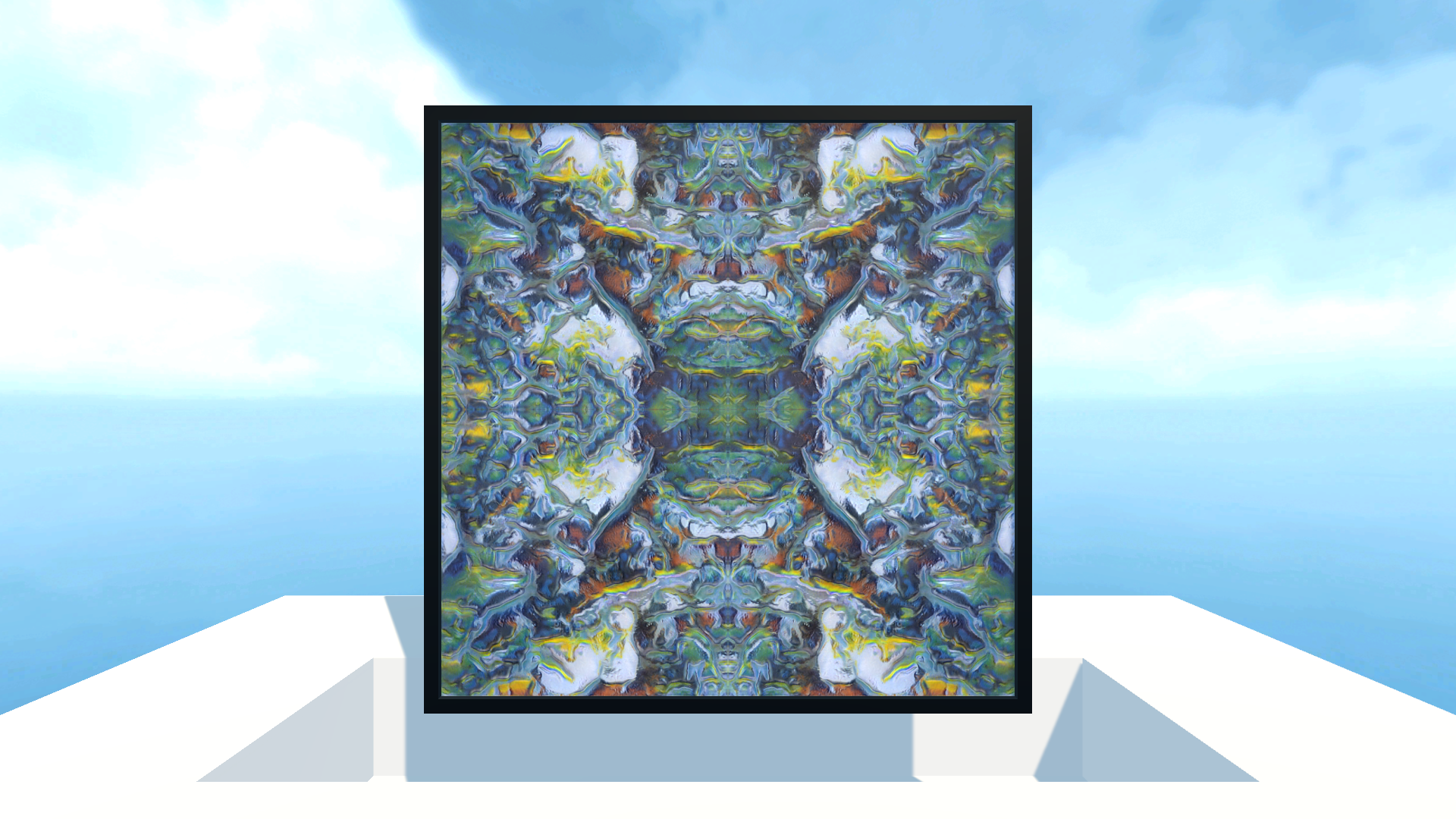
During the early stages of development, I only had a single "Painting Panel". It directly matched the output from Autolume-Live and was great for prototyping and developing the code base! However, it didn't quite have the visual interest or interactivity I was looking for.
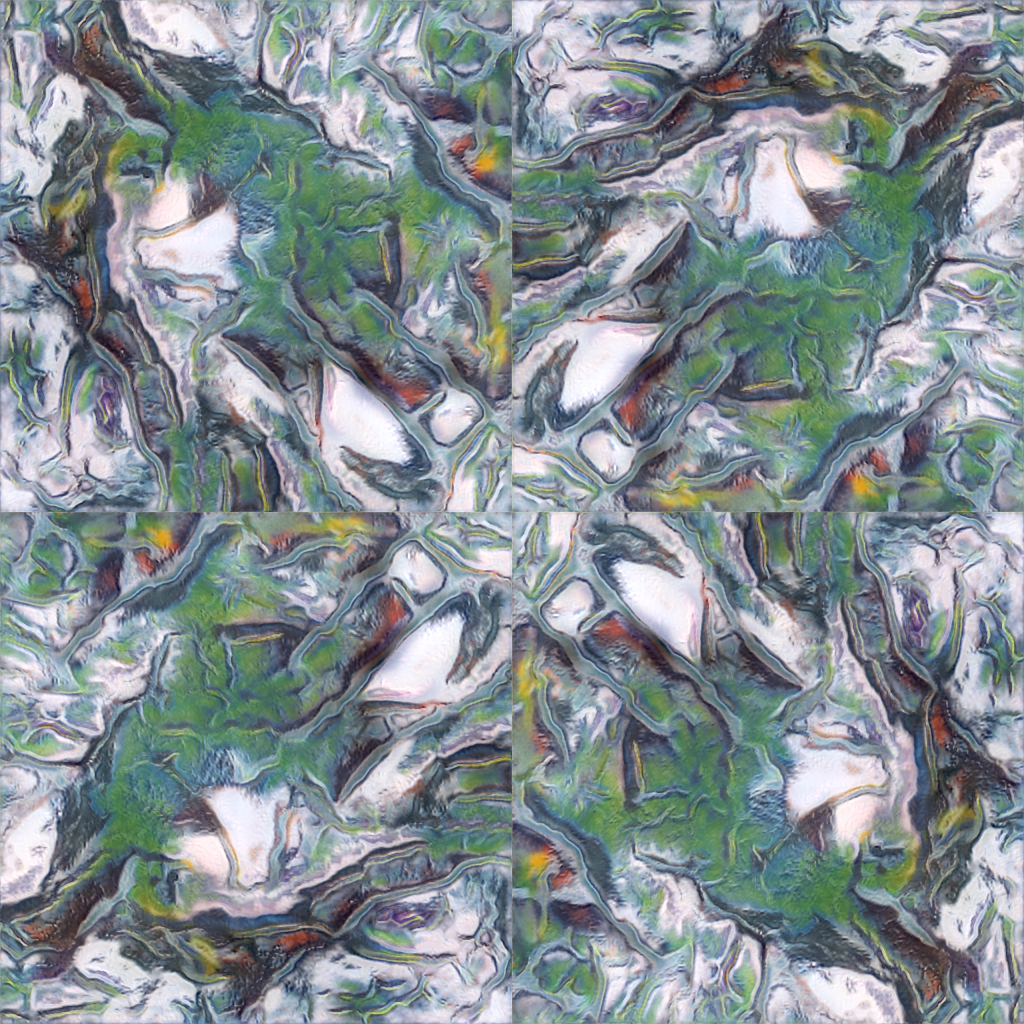
See Figure 2. If you like, use your hands to cover three-quarters of the image, leaving just the bottom left corner clear. You're now seeing what essentially was the original single-panel setup. I found it still interesting, but felt it was missing\ldots something. Now, uncover the rest of the image and notice how different the piece feels. To me, there's more complexity, feels unified, and is overall more aesthetically pleasing.
Increasing the panel count and allowing users to change the structure of the piece itself was a huge realization and breakthrough for the project. It significantly increased the creative possibilities and opened many new doors for interactions and development directions. I love how the user is able to take a much more active role in the creation of the piece, and how their decisions become a part of the artwork, if only for a little while.
The Autolume model we trained is limited to a resolution of 512x512 pixels, which didn't turn out to be as much of an issue as I initially thought. It's significantly more noticeable the closer you are to a panel, but from a distance it's negligible.
Conclusion & Future Work
I am very happy and proud of the current state of the project, and I look forward to being able to share the actual experience, not just a demo video. I plan to continue training the model and looking at other directions to take the dataset once the semester is over.
There were some additional approaches to visualizing latent spaces that I found during my preliminary research phase, but unfortunately did not get to implement due to scope creep and a lack of time (Despois, ; van der Maaten & Hinton, ). I'd love to explore the visualization possibilities of latent spaces more in the future, especially under the guidance of the Metacreation Lab.
Brought up as feedback during the class presentation, I struggled to find clear information on the concept of "intermediate latent fields", which was a potential way of smoothing the harsh panel boundaries when textures no longer line up. I want to give this a shot, but need some help.
Ethical Statement
At the end of the day, I am not a fan of models trained on stolen data, or when people try to pass off AI art as their own human art; the original authors/artists deserve credit and compensation.
That's why it's so important to me that I can train models locally with Autolume; I know with absolute certainty where the data is coming from and how the model has been created. The dataset of my grandfather’s art belongs to my family and always will. I am infinitely more comfortable generating from it knowing that I am in full control and can give it the proper credit and respect it deserves.
Acknowledgements
With this course nearing its end, I am extremely grateful for my professor Philippe Pasquier and teaching assistant Griffin Page, I have had a wonderful time and learned so much this semester. I am very excited to see what the future holds for the work being done at the Metacreation Lab, and hope to contribute some myself!
I also want to give my endless thanks to Arshia Sobhan for guiding me through the Autolume model training process and lending me time on his lab machine to get the training done. My computer at home is nowhere near strong enough, and he saved the day.
Lastly, I want to acknowledge my grandfather. I've had so much fun working on this project and hope you're proud of what I've got so far. Love and miss you, Opa.
References
- Despois, J. (). Latent space visualization — Deep Learning bits #2. HackerNoon. Retrieved , from https://hackernoon.com/latent-space-visualization-deep-learning-bits-2-bd09a46920df (external link)
- Hobby Technology. (). Latent Space Exploration in XR Demo. YouTube. Retrieved , from https://youtu.be/zyFAGmBXX90 (external link)
- Kraasch, J. F. (). Autolume-Live: An Interface for Live Visual Performances using GANs [Master’s thesis, Simon Fraser University]. https://summit.sfu.ca/item/36414 (external link)
- Meta. (). Set up your Meta Quest. Meta Store. Retrieved , from https://www.meta.com/ca/quest/setup/ (external link)
- NDI. (). NDI - Interoperable Technology for Video Connections. Retrieved , from https://ndi.video/tech/ (external link)
- Sigalkin, V. (). extOSC - Open Sound Control Protocol for Unity (Version 1.21.0). https://github.com/Iam1337/extOSC (external link)
- Sobhan, A., Abuzuraiq, A. M., & Pasquier, P. (). Autolume 2.0: A GAN-Based No-Coding Small Data and Model Crafting Visual Synthesizer. 38th Conference on Neural Information Processing Systems.
- Takahashi, K. (). KlakNDI - NDI® plugin for Unity (Version 2.1.4). https://github.com/keijiro/KlakNDI (external link)
- The Khronos Group. (). OpenXR - High-performance access to AR and VR —collectively known as XR— platforms and devices. Retrieved , from https://www.khronos.org/openxr/ (external link)
- Unity Technologies. (). XR Interaction Toolkit (Version 3.1.1). https://docs.unity3d.com/Packages/com.unity.xr.interaction.toolkit@3.1/manual/index.html (external link)
- van der Maaten, L., & Hinton, G. (). Visualizing Data using t-SNE. Journal of Machine Learning Research, 9(86), 2579–2605. https://jmlr.org/papers/v9/vandermaaten08a.html (external link)
- Wright, M., & Freed, A. (). Open SoundControl: A New Protocol for Communicating with Sound Synthesizers. International Computer Music Conference Proceedings, 101–104.